
Houses built before the 1980s often have no neutral wire at the light switch. The switch box contains only a live wire and a load wire — the neutral runs straight to the light fixture instead. Most smart switches need a neutral to power their own electronics, so they simply will not work in these boxes.
A small number of switches are designed for exactly this situation. This guide compares the five that actually work, explains how they work without a neutral, and covers the one problem they all share: LED bulbs that glow or flicker when the switch is off.
How no-neutral switches work
A smart switch needs power for its own radio and processor, even when the light is off. With a neutral wire, it draws that power directly. Without one, the switch steals a tiny amount of current through the light bulb itself — just enough to stay alive, not enough to light the bulb.
That trick has a side effect. Some LED bulbs are sensitive enough to react to that trickle current: they glow faintly at 5–10% brightness, or flicker, when the switch is off. The fix is a bypass — a small capacitor installed at the light fixture that gives the leakage current a harmless path instead of routing it through the LED driver. Lutron sells one (LUT-MLC); Shelly sells one for loads under 20W.
The short answer
| Switch | Protocol | Hub needed | No-neutral | Approx. price |
|---|---|---|---|---|
| Lutron Caseta PD-6WCL | Clear Connect RF | Yes — Smart Bridge (~$80) | Yes | ~$60–70 |
| Aqara H1 (no-neutral) | Zigbee 3.0 | Yes — Zigbee hub | Yes | ~$30–35 |
| Shelly 1L Gen3 | Wi-Fi | No | Yes | ~$18–22 |
| Inovelli Blue 2-1 | Zigbee | Yes — Zigbee hub | Yes, with limits | ~$50 |
| GE Cync (no-neutral) | Wi-Fi + Bluetooth | No | Yes | ~$25–30 |
Pick the Lutron Caseta PD-6WCL if you want the most reliable no-neutral switch and do not mind buying the $80 bridge. Pick the Aqara H1 if you already run Home Assistant or another Zigbee hub. Pick the Shelly 1L if you want to keep your existing switch faceplate and pay the least.
First: check whether you actually have no neutral
Take off the switch plate and look inside the box. If you see a bundle of white wires joined together with a wire nut, you have a neutral — and you can use any smart switch, not just the ones in this guide. If there are only two wires coming to the switch and no white bundle, you are in the no-neutral category.
A surprising number of people who think they lack a neutral simply have not looked at the back of the box. Check before you order.
1. Lutron Caseta PD-6WCL — best overall
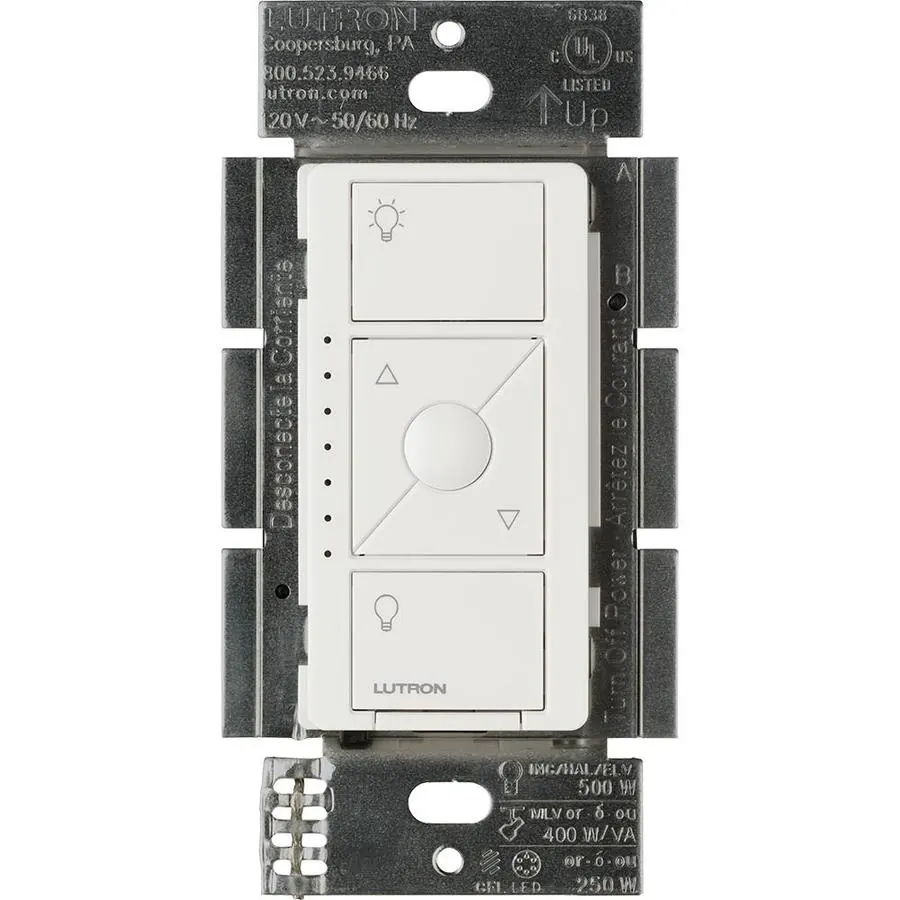
The Lutron Caseta dimmer has been the recommended no-neutral switch for years, and it has earned that reputation. It works with LED bulbs at any wattage — including single-bulb fixtures, which kill most other no-neutral dimmers.
- Model: PD-6WCL (dimmer). The on/off-only model PD-6ANS does NOT work without a neutral.
- Load: up to 150W LED, 600W incandescent/halogen; 25W minimum for incandescent/halogen
- Protocol: Lutron Clear Connect RF (not Wi-Fi, not Zigbee)
- Hub: Lutron Smart Bridge required (~$80), connects to your router by Ethernet
- Price: ~$60–70 per switch, plus the bridge
- Works with: Apple HomeKit, Alexa, Google Home, SmartThings
Why it wins: Lutron’s own RF protocol is extremely reliable — no Wi-Fi dropouts, no interference from your neighbours’ routers. The dimmer handles LED loads without flicker in situations where cheaper switches fail. The cost is real: one switch plus a bridge is about $150 for the first room, though additional switches cost only the per-switch price.
The Caseta Diva (DVRF-6L, ~$70) is the newer paddle-style version of the same dimmer, with the same no-neutral capability.
2. Aqara H1 (no-neutral version) — best for Zigbee homes
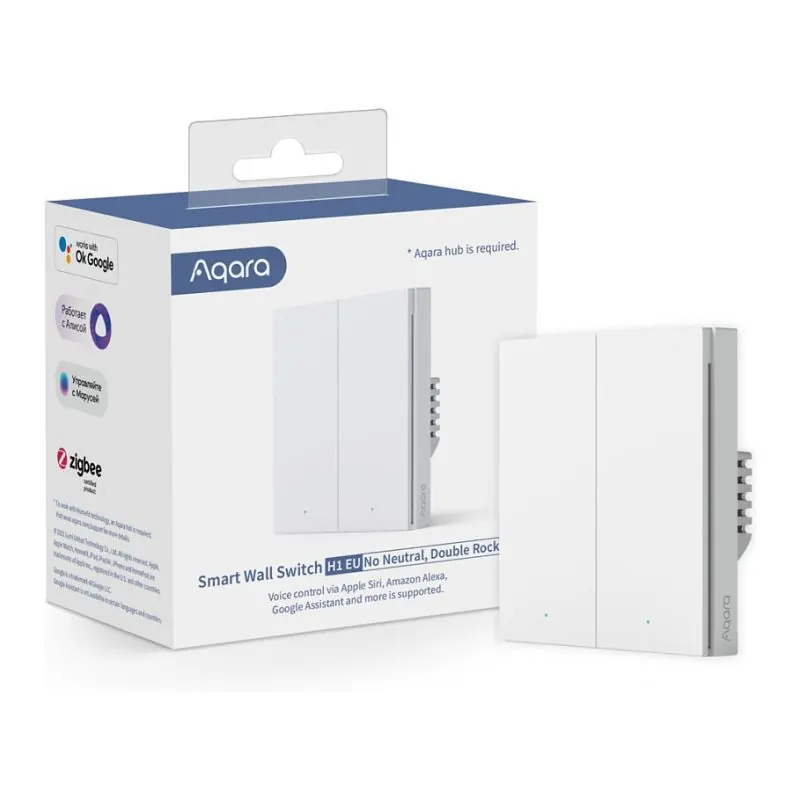
If you already run a Zigbee hub — Home Assistant with ZHA or Zigbee2MQTT, Hubitat, or SmartThings — the Aqara H1 is the best no-neutral switch per dollar.
- Model: Aqara Smart Wall Switch H1, no-neutral version
- Protocol: Zigbee 3.0 (Matter via Aqara hub)
- Hub: Zigbee hub required; does not connect directly to Wi-Fi
- Price: ~$30–35 per switch
The H1’s weakness is the same as every no-neutral switch: low-wattage LED loads. Aqara’s own forum has reports of LED bulbs glowing at 5–10% brightness when the switch is off, even with a combined load of 15–20W — above Aqara’s stated minimum. The fix is an LED bypass capacitor at the fixture, or choosing bulbs with a higher minimum load. If your fixture has a single 3W bulb, expect problems; if it has several bulbs totalling 20W or more, it usually works.
3. Shelly 1L Gen3 — best for keeping your existing switch
The Shelly 1L is not a wall switch replacement. It is a tiny Wi-Fi relay that installs behind your existing switch, turning it smart without replacing the faceplate or changing the look of the room.
- Model: Shelly 1L Gen3
- Protocol: Wi-Fi, with a local API (no cloud required)
- Hub: none needed
- Price: ~$18–22 per module
- Load: up to 200W at 240V AC; bypass required for LED loads under 5W; minimum load without neutral is 20W resistive
The 1L is the cheapest option here and the most flexible — it works with any existing switch, supports local control through its API, and integrates with Home Assistant directly. The trade-off is installation: you are wiring a relay inside the switch box, which is a DIY job for someone comfortable with mains wiring. If you are not, hire an electrician.
4. Inovelli Blue Series 2-1 — best for Home Assistant power users
The Inovelli Blue 2-1 (VZM31-SN) is a Zigbee dimmer that works without a neutral, with documented limitations. It is the most configurable switch in this guide — scene control, LED bar notifications, and deep parameter settings — and it is the favourite of Home Assistant enthusiasts.
- Model: Inovelli Blue Series 2-1 (VZM31-SN)
- Protocol: Zigbee, 120V AC 60Hz
- Hub: Zigbee hub required
- Price: ~$50 per switch
The no-neutral mode has real limits: minimum load requirements, and some LED bulbs will need a bypass. It is a power-user switch, not a first-switch purchase.
5. GE Cync (no-neutral dimmer) — best with no hub
The GE Cync no-neutral dimmer connects directly over Wi-Fi and Bluetooth. No hub, no bridge, no coordinator — install the switch, open the app, done.
- Protocol: Wi-Fi + Bluetooth
- Hub: none needed
- Price: ~$25–30 per switch
It is the simplest option here and the cheapest way to get one room working without buying any extra hardware. The trade-off is Wi-Fi reliability: in a house with a weak router or many Wi-Fi devices, a Wi-Fi switch is more likely to drop off the network than a Lutron or Zigbee switch.
The LED glow problem, in detail
Every no-neutral switch in this guide can cause LED bulbs to glow or flicker when off. The cause is the same in all of them: the switch leaks a small current through the bulb to power itself, and some LED drivers turn that current into visible light.
Three fixes, in order of effort:
- Change the bulb. A bulb with a higher wattage or a different driver may not glow. Try a different brand before buying hardware.
- Add a bypass capacitor. Install it at the light fixture, not at the switch. Lutron’s LUT-MLC and Shelly’s bypass are made for this. Shelly’s bypass is specified for loads under 20W at 240V AC.
- Increase the load. A fixture with several bulbs totalling 20W or more is less likely to glow than a single 3W bulb.
How to choose
- Reliability first, any bulb, any room: Lutron Caseta PD-6WCL + Smart Bridge.
- Already running Home Assistant or Zigbee: Aqara H1 (budget) or Inovelli Blue 2-1 (power user).
- Keep your existing switch, lowest cost: Shelly 1L Gen3.
- No hub, simplest install: GE Cync no-neutral dimmer.
And one warning: most mainstream smart switches — including most Leviton and Zooz models — require a neutral wire. The Zooz ZEN72 and ZEN77 dimmers, for example, cannot be connected properly without one. Always check the manufacturer’s own documentation for the words “neutral required” before you buy.
Sources
- Lutron Caseta product documentation (lutron.com): PD-6WCL no-neutral requirement, 150W LED / 600W incandescent rating.
- Aqara forum (forum.aqara.com, November 2026): H1 no-neutral LED glow reports, bypass recommendation.
- Shelly 1L Gen3 documentation (shelly.com): no-neutral design, 20W minimum load, bypass specification.
- Best smart switches without neutral wire, SmartHomePerfected (smarthomeperfected.com, 2026): Lutron, Aqara, Shelly comparisons and pricing.
- Smart switch no neutral wire: what actually works, HomeAutoCentral (homeautocentral.com, October 2026): manufacturer-documented neutral claims, Zooz dead end, bypass details.
- Which smart switch is considered the best, GoG Elec (gog-elec.com, 2026): price table, protocol comparison.
Prices checked November 2026. They change — verify before you buy. This page contains no affiliate links yet; product links go to the manufacturers’ own stores.